Preview mode
See exactly what a preset will change before it touches your scene.
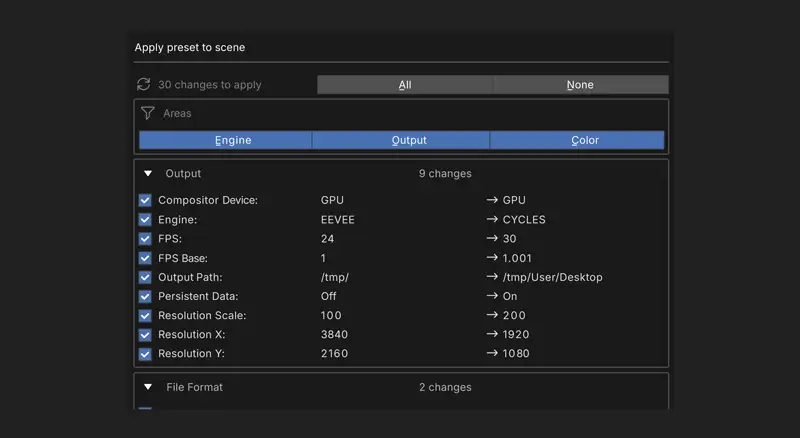
Preview changes before applying
By default, clicking Apply on a preset doesn't just apply it — Stowaway shows you a change list first: current value beside new value, grouped by area, with a checkbox on each row. Untick anything you'd rather keep. Only the ticked changes are applied.
Why it matters
This is the difference between trusting a preset and hoping about one, and it matters most on client work, where a preset might carry a resolution you want but an output path you don't.
Turning it off
If you'd rather have one-click application, turn off Preview Changes Before Applying in Preferences. And if you apply something and immediately regret it, Undo Preset (pie: ↙) puts the scene back.